
Canon Mini Print✓
- Name :
- Canon Mini Print
- Category:
- Photography
- Safety :
- 100% Safe
- Price:
- free
- Developer:
- Canon U.S.A., Inc.
- Download :
- 500K+
Screenshot
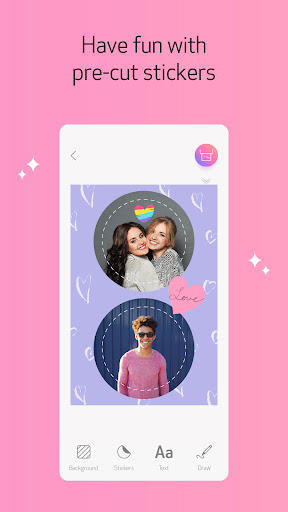
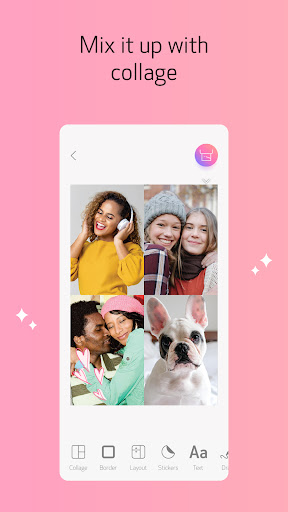
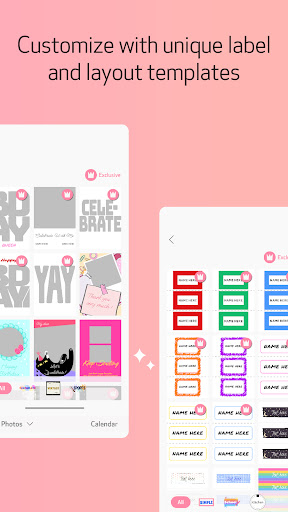
App Intro
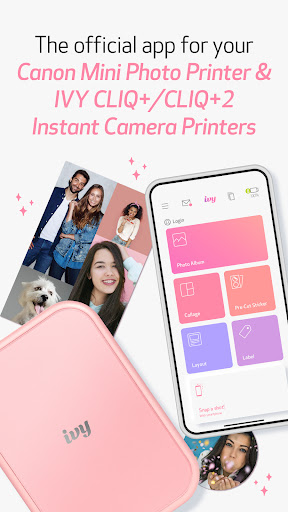
The Canon Mini Print app is your go-to companion for personalizing and printing photos directly from your Canon IVY Mini Photo Printer and IVY CLIQ+/CLIQ+2 Instant Camera Printers. It transforms your smartphone into a creative hub, allowing you to enhance captured moments or images from social media and cloud storage with a plethora of fun tools. Whether you're looking to decorate your personal space with unique 2x3-inch sticker prints or share customized memories, this app makes it easy and enjoyable. It’s an excellent choice for anyone who loves to add a personal touch to their photos and enjoys the tangible output of instant printing, perfect for crafting, scrapbooking, or simply sharing customized keepsakes with friends. The app connects seamlessly via Bluetooth, making the entire process from editing to printing a breeze.
Pros
- Easy Bluetooth printer connection and setup.
- Wide variety of fun stickers, frames, and filters.
- Print photos from social media and cloud storage.
- Creative layout and collage printing options.
- Remote live-view shooting capability.
Feature Guides
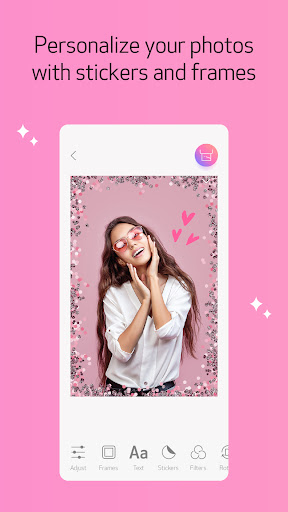
- Effortlessly add personality to your prints with a vast collection of stickers, borders, and filters. You can also overlay text and even freehand drawings to truly make each photo your own.
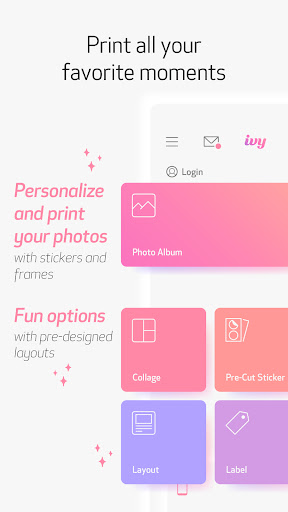
- Get creative with print layouts by utilizing the Collage Print feature to combine multiple images into a single, cohesive print, or use Tile Print to break down a large image into multiple smaller sticker prints for a mosaic effect.
- Capture the perfect shot with confidence using the app's remote live-view and shutter functionality. This feature allows you to frame your photo precisely and take the picture remotely, ideal for group shots or selfies.
- Explore diverse creative options with pre-cut layout prints and various Layout & Label configurations, designed to make your sticker paper printing projects fun and straightforward.
Recent Improvements
Recent updates have focused on enhancing the user experience, particularly around the printing process and creative tools. We've seen refinements in how easily users can connect their printers and initiate prints, leading to a smoother workflow. The addition of new sticker packs and filters has also been a welcome enhancement, offering more ways to personalize your photos. Performance improvements have been implemented to ensure quicker processing and more reliable printing, making it even more enjoyable to bring your edited photos to life. The overall stability of the app has been boosted, reducing common glitches and ensuring a more consistent experience for all users.
User reviews
This app is super fun and easy to use! I love adding all the cute stickers and frames to my photos before printing them. It makes my journal spreads look amazing! 😍
Printing photos from my phone has never been easier. The connection is stable, and the editing options are just enough to personalize without being overwhelming. Great for quick, personalized prints. 👍
 Filter Cam for WA Video CallPhotography
 Amazon PhotosPhotography
 BeautyPlus - Retouch, FiltersPhotography
 AI Photo Editor, Collage-FotorPhotography
 Camera FV-5Photography
 PhotoScan by Google PhotosPhotography
 Photo Studio PROPhotography
 Lensa: photo editor AIPhotography
 Manual Camera: DSLR Camera ProPhotography
 1 Hour Photo: CVS Photo PrintsPhotography
 Photo Scan App by PhotomynePhotography
 PhotoPillsPhotography
 PREQUEL AI Filter Photo EditorPhotography
 Shutterfly: Prints Cards GiftsPhotography
 Simple Gallery App - ProPhotography
 SkylightPhotography
 Galleryit - Photo Vault, AlbumPhotography
 SELPHY Photo LayoutPhotography
 Camera ZOOM FX PremiumPhotography
 FaceApp: Perfect Face EditorPhotography