
Manual Camera: DSLR Camera Pro✓
- Name :
- Manual Camera: DSLR Camera Pro
- Category:
- Photography
- Safety :
- 100% Safe
- Price:
- 4.99
- Developer:
- Lenses Inc.
- Download :
- 1M+
Screenshot

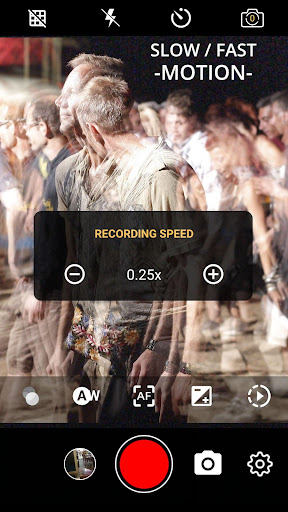
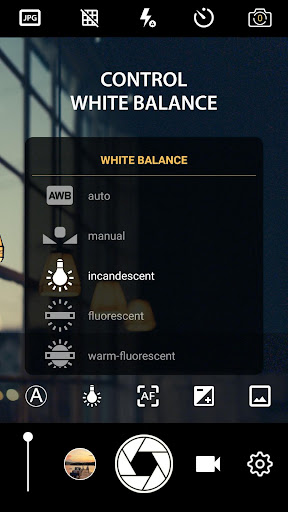
App Intro
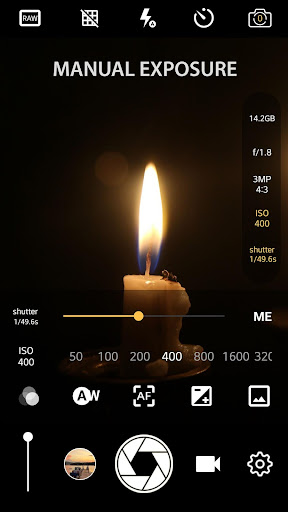
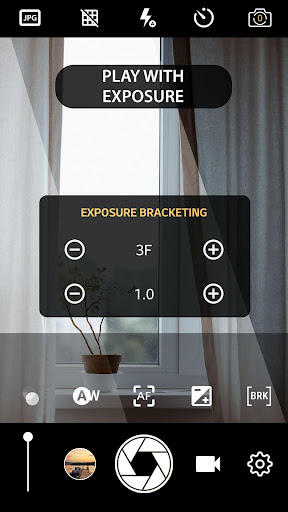
DSLR Camera HD Professional transforms your smartphone into a powerful tool for mobile photography, offering granular control over settings typically found on professional DSLR cameras. If you're looking to elevate your photos beyond the capabilities of your phone's default camera app, this app is designed for you. It provides manual control over ISO, shutter speed, exposure, and focus, enabling creative adjustments for truly unique shots. Beyond stills, it supports 4K UHD video recording on compatible devices, making it a versatile option for both photographers and videographers. Whether you're a seasoned enthusiast aiming for precise artistic control or a beginner eager to explore advanced photography techniques, this app offers a comprehensive suite of features to push your mobile imaging skills to the next level.
Pros
- Full manual control over camera settings.
- High-resolution 4K video recording capability.
- RAW photo capture for advanced editing.
- Intuitive interface for complex features.
- Supports time-lapse and slow-motion video.
Feature Guides
- Take full manual control of your photography with adjustable ISO, shutter speed, and exposure settings, allowing for precise light and motion capture.
- Achieve sharp focus exactly where you want it using manual focus controls, perfect for macro shots or selective depth of field effects.
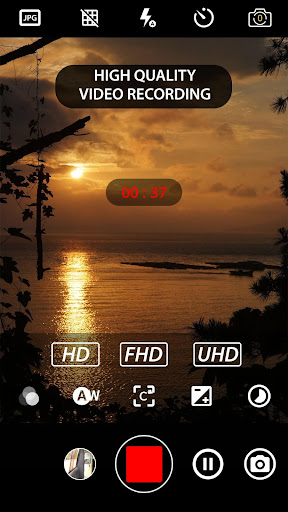
- Record stunningly detailed videos in up to 4K UHD resolution on supported devices, bringing a professional cinematic quality to your mobile footage.
- Experiment with creative visual styles using real-time filters and color effects applied directly as you shoot, speeding up your editing workflow.
- Utilize advanced shooting modes like intervalometer for time-lapses and burst mode for capturing fast action, expanding your creative possibilities.
Recent Improvements
Recent updates have focused on refining the user experience, making the advanced manual controls even more intuitive and responsive. We've also worked on improving the stability of 4K video recording across a wider range of devices. Additionally, the integration of RAW photo saving has been optimized for smoother performance, ensuring you capture the maximum amount of image data for post-processing. These enhancements aim to provide a more seamless and professional shooting experience, bringing your mobile photography closer to that of a dedicated DSLR.
User reviews
Finally, a camera app that lets me control everything like my old DSLR! The manual focus is a game-changer for close-ups. So happy! 😍
The 4K video recording is smooth and looks amazing on my phone. It's like carrying a mini-studio in my pocket now. Highly recommend! ✨
 Filter Cam for WA Video CallPhotography
 Amazon PhotosPhotography
 Canon Mini PrintPhotography
 BeautyPlus - Retouch, FiltersPhotography
 AI Photo Editor, Collage-FotorPhotography
 Camera FV-5Photography
 PhotoScan by Google PhotosPhotography
 Photo Studio PROPhotography
 Lensa: photo editor AIPhotography
 1 Hour Photo: CVS Photo PrintsPhotography
 Photo Scan App by PhotomynePhotography
 PhotoPillsPhotography
 PREQUEL AI Filter Photo EditorPhotography
 Shutterfly: Prints Cards GiftsPhotography
 Simple Gallery App - ProPhotography
 SkylightPhotography
 Galleryit - Photo Vault, AlbumPhotography
 SELPHY Photo LayoutPhotography
 Camera ZOOM FX PremiumPhotography
 FaceApp: Perfect Face EditorPhotography