

PhotoScan by Google Photos✓
- Name :
- PhotoScan by Google Photos
- Category:
- Photography
- Safety :
- 100% Safe
- Price:
- free
- Developer:
- Google LLC
- Download :
- 50M+
Screenshot


App Intro
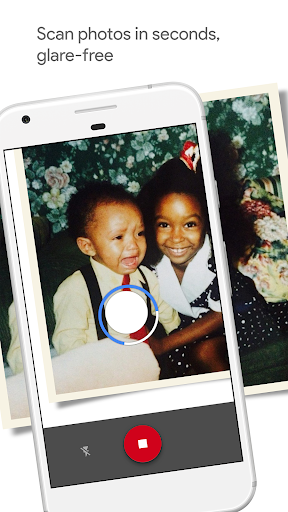
PhotoScan, a standout application from the Google Photos suite, revolutionizes the way you preserve your cherished printed photographs. It transforms your smartphone into a powerful, portable scanner, specifically designed to capture your physical memories and convert them into high-quality digital files. The app excels at producing glare-free images, a common frustration with traditional scanning methods, by guiding you through a simple capture process. Beyond just taking a picture, PhotoScan intelligently crops images based on detected edges, corrects perspective to ensure rectangular results, and automatically rotates scans for proper orientation. This means you spend less time wrestling with digital editing and more time enjoying your revitalized photos. It’s an ideal tool for anyone looking to digitize old photo albums, preserve family history, or simply share beloved prints with friends and family digitally. For those seeking an effortless way to back up and organize their physical photo collection, PhotoScan is a must-download.
Pros
- Glare-free scanning for pristine digital copies.
- Automatic cropping and perspective correction.
- Smart rotation ensures correct photo orientation.
- Seamless integration with Google Photos.
- Quick and easy photo digitization.
Feature Guides
- Achieve professional-looking, glare-free scans with a simple, guided capture process that eliminates unwanted reflections from your photos.
- Benefit from automatic edge detection and perspective correction that ensures your scans are perfectly straight and rectangular, no matter the angle.
- Enjoy smart rotation that automatically orients your photos correctly, so they always appear the right way up.
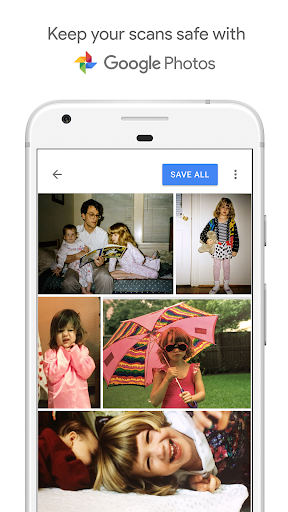
- Seamlessly back up, organize, and enhance your scanned photos with the integrated Google Photos app, making them easily searchable and shareable.
Recent Improvements
The latest refinements to PhotoScan focus on enhancing the user experience with subtle yet impactful improvements. We've optimized the edge detection algorithm to be even more accurate, leading to quicker and more precise cropping of your photos. The perspective correction has also been fine-tuned to handle a wider range of scanning angles, ensuring your final digital images are consistently straight. Additionally, performance enhancements have been implemented to speed up the capture and processing stages, making the entire scanning workflow feel smoother and more responsive. These updates aim to make digitizing your physical memories even more effortless and enjoyable.
User reviews
Finally, a way to digitize my parents' old photos without them looking like I just took a picture of a picture! The glare-free feature is a game-changer. So happy I found this app! 👍
Super impressed with how easy and quick it is to scan my old albums. The automatic cropping and straightening work surprisingly well. My childhood memories are safe now! 😊
 Filter Cam for WA Video CallPhotography
 Amazon PhotosPhotography
 Canon Mini PrintPhotography
 BeautyPlus - Retouch, FiltersPhotography
 AI Photo Editor, Collage-FotorPhotography
 Camera FV-5Photography
 Photo Studio PROPhotography
 Lensa: photo editor AIPhotography
 Manual Camera: DSLR Camera ProPhotography
 1 Hour Photo: CVS Photo PrintsPhotography
 Photo Scan App by PhotomynePhotography
 PhotoPillsPhotography
 PREQUEL AI Filter Photo EditorPhotography
 Shutterfly: Prints Cards GiftsPhotography
 Simple Gallery App - ProPhotography
 SkylightPhotography
 Galleryit - Photo Vault, AlbumPhotography
 SELPHY Photo LayoutPhotography
 Camera ZOOM FX PremiumPhotography
 FaceApp: Perfect Face EditorPhotography