

Lensa: photo editor AI✓
- Name :
- Lensa: photo editor AI
- Category:
- Photography
- Safety :
- 100% Safe
- Price:
- free
- Developer:
- Prisma Labs, Inc.
- Download :
- 10M+
Screenshot
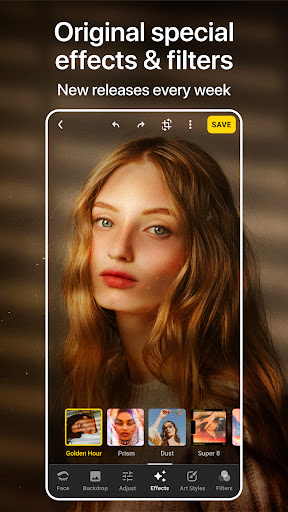
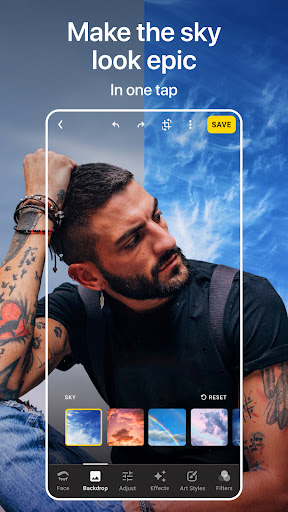
App Intro
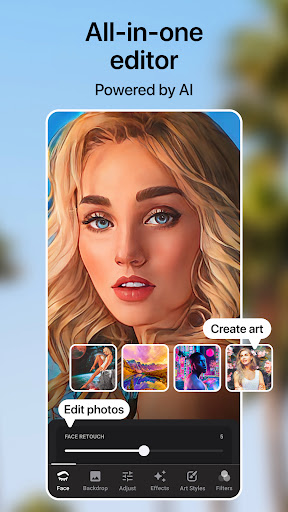
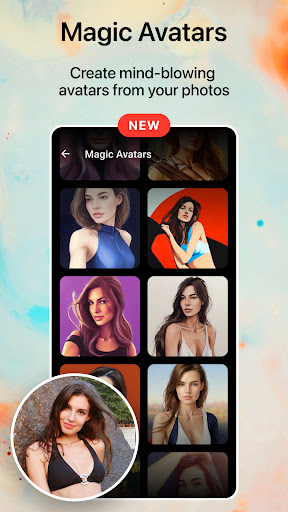
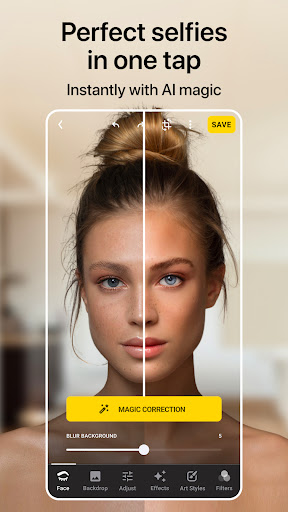
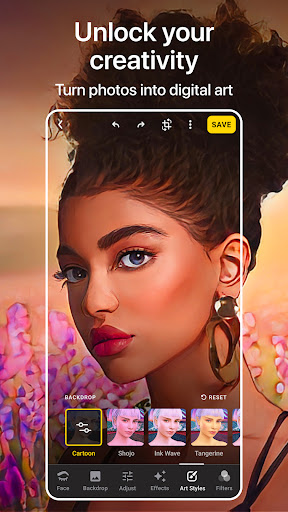
Lensa is a powerful yet user-friendly photo editing application designed primarily for enhancing portrait selfies. Whether you're looking to achieve that perfect glow, smooth out imperfections, or simply make your photos pop, Lensa offers a comprehensive suite of tools. It excels at retouching portraits, removing blemishes, and adjusting backgrounds to ensure your subject is always the focus. With its intuitive interface and a wide array of filters and effects, users don't need to be professional photographers to achieve stunning results. It's ideal for anyone who wants to quickly and easily elevate their selfie game, capture everyday moments beautifully, and share polished images on social media or with friends. Lensa transforms your mobile photography experience, making professional-level edits accessible in seconds.
Pros
- Advanced skin and beauty retouching tools.
- Intuitive interface with easy-to-use features.
- Effective background editing capabilities.
- Quick processing for instant results.
- Wide range of creative filters and effects.
Feature Guides
- Achieve flawless skin with advanced refining effects, including blemish removal and beauty filters, allowing you to customize your look with precision. The auto-adjust feature simplifies the process, letting you focus on capturing the perfect shot while the app handles the intricate edits.
- Enhance your eyes and eyebrows with dedicated editors. Correct dark circles, reduce eye bags, and reshape eyebrows to highlight your facial features. You can easily compare your edits with the original photo to fine-tune your results.
- Transform your photos with the Illustrator Photo Editor, offering lens correction and art photo contrast adjustments for perfect lighting and sharpness. Experiment with hair color changes and teeth whitening for a truly polished look.
- Effortlessly manage photo backgrounds using intuitive tools. Blur backgrounds to create a portrait mode effect, add motion, or completely change the background to enhance your selfies and make them more dynamic.
Recent Improvements
Recent updates to Lensa have focused on refining the user experience and expanding creative possibilities. The editing tools feel more responsive, and the introduction of subtle enhancements to existing filters provides greater depth and nuance. Performance improvements ensure that even complex edits are processed quickly, maintaining the app's reputation for speed. User feedback has been instrumental in fine-tuning the sensitivity of sliders and the overall effect of various beauty filters, making it easier than ever to achieve natural-looking results. The app continues to evolve, offering a smoother and more intuitive editing journey for all users.
User reviews
This app is a game-changer for my selfies! The skin smoothing is incredibly natural, and I love the eye corrector feature. Makes me feel so much more confident sharing my pics. Highly recommend! ✨
Lensa makes editing portraits so simple and fast. I was able to fix a blurry background in seconds. It's become my go-to app for quick touch-ups before posting on Instagram. 💯
 Filter Cam for WA Video CallPhotography
 Amazon PhotosPhotography
 Canon Mini PrintPhotography
 BeautyPlus - Retouch, FiltersPhotography
 AI Photo Editor, Collage-FotorPhotography
 Camera FV-5Photography
 PhotoScan by Google PhotosPhotography
 Photo Studio PROPhotography
 Manual Camera: DSLR Camera ProPhotography
 1 Hour Photo: CVS Photo PrintsPhotography
 Photo Scan App by PhotomynePhotography
 PhotoPillsPhotography
 PREQUEL AI Filter Photo EditorPhotography
 Shutterfly: Prints Cards GiftsPhotography
 Simple Gallery App - ProPhotography
 SkylightPhotography
 Galleryit - Photo Vault, AlbumPhotography
 SELPHY Photo LayoutPhotography
 Camera ZOOM FX PremiumPhotography
 FaceApp: Perfect Face EditorPhotography