

Skylight✓
- Name :
- Skylight
- Category:
- Photography
- Safety :
- 100% Safe
- Price:
- free
- Developer:
- Skylight Frame
- Download :
- 500K+
Screenshot



App Intro
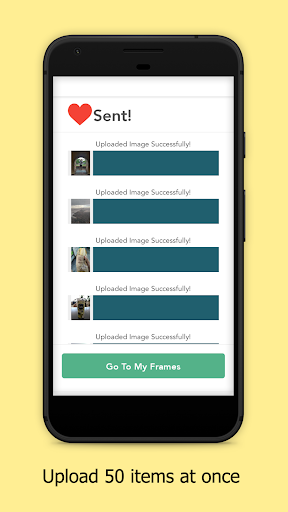
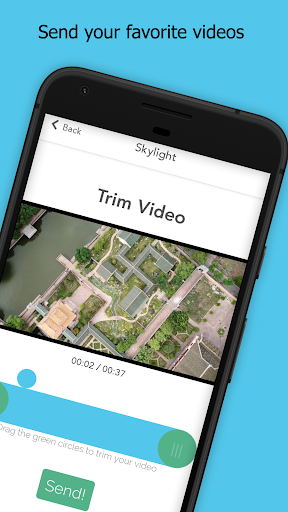
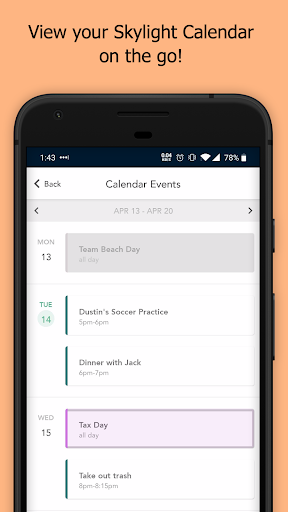
The Skylight app serves as a central hub for managing your Skylight devices, primarily the Skylight Frame and Skylight Calendar. For those with a Skylight Frame, this application unlocks the ability to send photos and videos directly to the frame from virtually anywhere, making it incredibly simple to share memories with loved ones. Just log in, connect your frame, and you're ready to go in seconds. If you own a Skylight Calendar, the app enhances its functionality by allowing you to conveniently review, add, or remove items from your integrated Grocery List. It’s an ideal tool for families wanting to stay connected through shared visual moments or for individuals looking to streamline their household management. The app offers a seamless way to keep your digital memories alive and your shopping organized.
Pros
- Effortlessly send photos and videos to your Skylight Frame.
- Manage Skylight Calendar grocery lists conveniently.
- View and download photos directly to your phone.
- Streamlined management of multiple Skylight Frames.
- Reliable cloud backup for all your photos.
Feature Guides
- Send photos and videos to your Skylight Frame remotely, keeping loved ones connected with the latest moments. 📸
- Add text captions to your photos before sending them, providing context or a personal message to recipients.
- Easily view and download all the photos stored on your Skylight Frame directly to your smartphone for safekeeping or sharing.
- Manage multiple Skylight Frames within the app, offering a consolidated view and control over all your devices.
- Enjoy peace of mind with cloud backup for all your photos, ensuring your cherished memories are preserved indefinitely.
Recent Improvements
Recent updates have focused on enhancing the video playback experience on Skylight Frames, ensuring smoother streaming and better compatibility with various formats. We've also refined the photo management interface, making it more intuitive to browse, select, and send images. Improvements to the grocery list functionality on the Skylight Calendar ensure that list updates are reflected instantly, reducing any lag time. Overall, the app is becoming more robust and user-friendly, aiming to provide a seamless connection between your devices and your memories.
User reviews
Love sending photos to my parents' Skylight Frame! It's so easy to use, and they get a kick out of seeing new pictures pop up. The video feature is a great addition too! 👍
This app has made managing the grocery list on our Skylight Calendar so much simpler. No more forgotten items at the store. Plus, seeing family photos on the frame is a daily joy. 😊
 Filter Cam for WA Video CallPhotography
 Amazon PhotosPhotography
 Canon Mini PrintPhotography
 BeautyPlus - Retouch, FiltersPhotography
 AI Photo Editor, Collage-FotorPhotography
 Camera FV-5Photography
 PhotoScan by Google PhotosPhotography
 Photo Studio PROPhotography
 Lensa: photo editor AIPhotography
 Manual Camera: DSLR Camera ProPhotography
 1 Hour Photo: CVS Photo PrintsPhotography
 Photo Scan App by PhotomynePhotography
 PhotoPillsPhotography
 PREQUEL AI Filter Photo EditorPhotography
 Shutterfly: Prints Cards GiftsPhotography
 Simple Gallery App - ProPhotography
 Galleryit - Photo Vault, AlbumPhotography
 SELPHY Photo LayoutPhotography
 Camera ZOOM FX PremiumPhotography
 FaceApp: Perfect Face EditorPhotography