

AI Photo Editor, Collage-Fotor✓
- Name :
- AI Photo Editor, Collage-Fotor
- Category:
- Photography
- Safety :
- 100% Safe
- Price:
- free
- Developer:
- AI Art Photo Editor | Everimaging Ltd.
- Download :
- 10M+
Screenshot
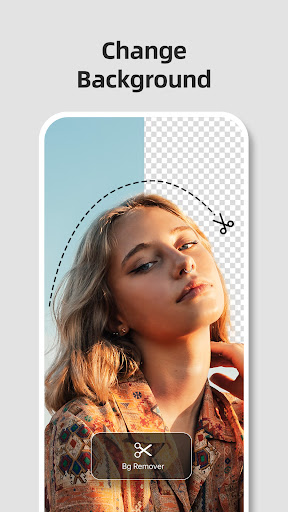
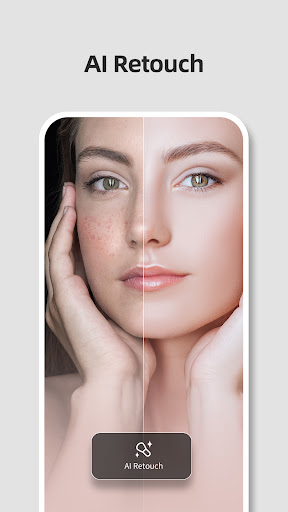
App Intro
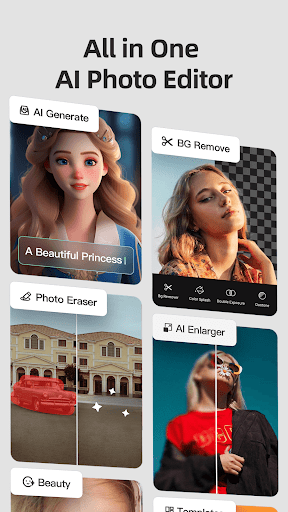
Fotor is a comprehensive AI-powered photo editing application designed for users of all skill levels. It seamlessly integrates robust photo editing tools with design and collage-making capabilities, making it a versatile solution for visual content creation. Whether you're looking to enhance a photograph with a single click, remove unwanted elements, retouch portraits, or even transform images into artistic masterpieces, Fotor leverages cutting-edge AI to simplify these tasks. Its extensive feature set, including background manipulation, image enlargement, and a vast library of effects and templates, ensures that users can achieve professional-looking results quickly and efficiently. This app is ideal for social media enthusiasts, amateur photographers, designers, and anyone who wants to elevate their photos without a steep learning curve.
Pros
- Powerful AI tools for quick edits.
- Extensive collection of filters and effects.
- User-friendly interface for all levels.
- Versatile design and collage maker.
- Effective background removal and editing.
Feature Guides
- Harness the power of AI for effortless photo enhancements, including one-tap adjustments for light and tone, automatic retouching for flawless skin, and intelligent background removal to create transparent or new backgrounds.
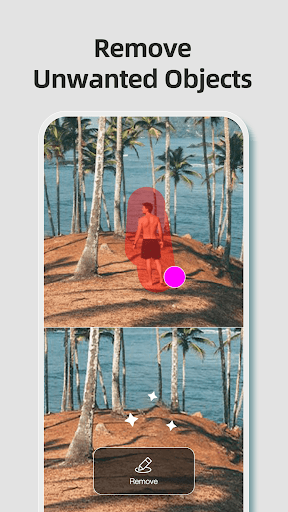
- Remove unwanted distractions from your images with the Magic Eraser tool, which can efficiently eliminate text, people, blemishes, and even watermarks, preserving image quality.
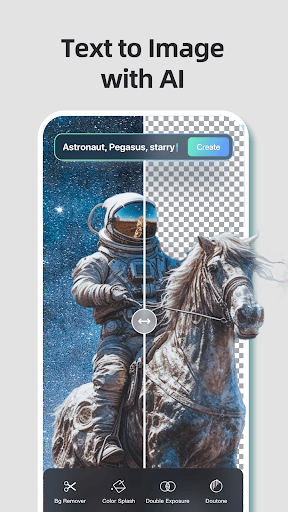
- Transform your photos into stunning artworks with AI Art Effects, mimicking the styles of renowned artists or applying trendy aesthetic filters.
- Create visually appealing graphics with a vast collection of design templates for social media posts, posters, YouTube covers, and more, updated weekly.
Recent Improvements
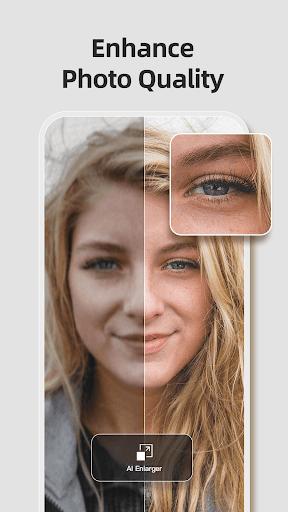
Recent updates to Fotor have focused on refining the AI-driven features to provide an even more intuitive and powerful editing experience. Users will notice enhanced performance in background removal, offering cleaner cutouts and more seamless integration with new backgrounds. The AI retouching tools have been further optimized for natural-looking results, making portrait editing smoother than ever. Additionally, improvements to the AI Enlarger ensure that image clarity is maintained even when scaling up, addressing common issues with pixelation. The overall stability and responsiveness of the app have also been enhanced, contributing to a more fluid creative workflow.
User reviews
This app is a game-changer! The AI background removal is incredibly accurate, and I love how easily I can create collages. So many options for editing, definitely worth the download! ✨
I'm amazed by the AI Art Effects! It turns my simple photos into masterpieces in seconds. The retouching tools are also fantastic for portraits. Highly recommend! 👍
 Filter Cam for WA Video CallPhotography
 Amazon PhotosPhotography
 Canon Mini PrintPhotography
 BeautyPlus - Retouch, FiltersPhotography
 Camera FV-5Photography
 PhotoScan by Google PhotosPhotography
 Photo Studio PROPhotography
 Lensa: photo editor AIPhotography
 Manual Camera: DSLR Camera ProPhotography
 1 Hour Photo: CVS Photo PrintsPhotography
 Photo Scan App by PhotomynePhotography
 PhotoPillsPhotography
 PREQUEL AI Filter Photo EditorPhotography
 Shutterfly: Prints Cards GiftsPhotography
 Simple Gallery App - ProPhotography
 SkylightPhotography
 Galleryit - Photo Vault, AlbumPhotography
 SELPHY Photo LayoutPhotography
 Camera ZOOM FX PremiumPhotography
 FaceApp: Perfect Face EditorPhotography