

Photo Scan App by Photomyne✓
- Name :
- Photo Scan App by Photomyne
- Category:
- Photography
- Safety :
- 100% Safe
- Price:
- free
- Developer:
- Photomyne Ltd.
- Download :
- 5M+
Screenshot
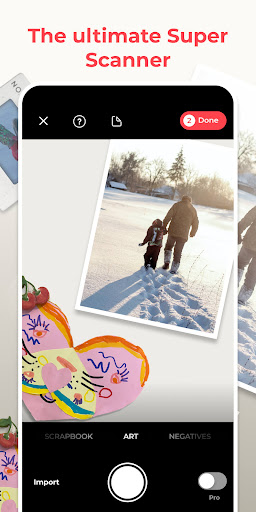
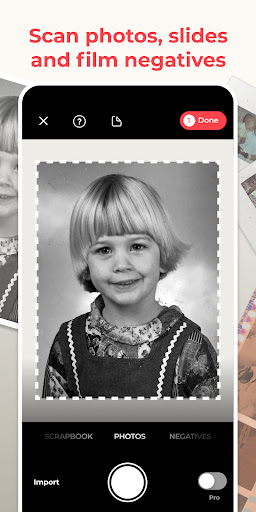
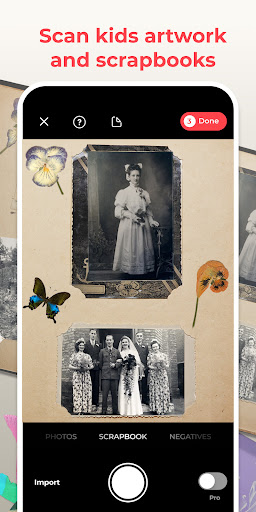
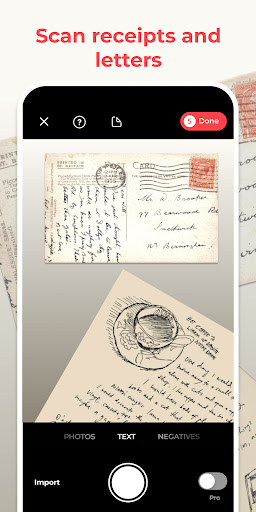
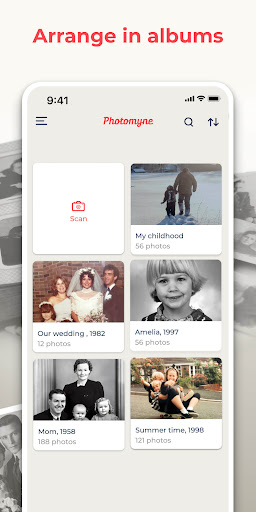

App Intro
Photomyne is a powerful mobile scanning application designed to help users digitize their cherished physical photos, slides, negatives, and other memorabilia. Its core function revolves around transforming aging or scattered keepsakes into a cohesive, accessible digital library. The app utilizes advanced AI technology to simplify the scanning process, making it incredibly fast and straightforward. Whether you aim to preserve family history across generations, declutter your home, or simply share precious memories with loved ones, Photomyne offers a compelling solution. It's particularly well-suited for individuals looking to bring their photo albums into the digital age without the hassle of manual scanning. While a free version offers basic scanning capabilities to test its features, a premium membership unlocks unlimited potential for a comprehensive digital archive.
Pros
- Fast scanning of multiple photos at once.
- Digitizes photos, negatives, slides, and documents.
- AI enhances color and clarity automatically.
- Easy sharing and creation of digital albums.
- Adds audio and enhances old photos.
Feature Guides
- Effortlessly scan multiple physical photographs in a single frame, with the app automatically detecting boundaries, rotating images, cropping, and restoring colors to save them into a digital album. It even handles scanning entire photo albums in mere minutes.
- Go beyond just photos; scan film negatives, slides, documents, notes, children's artwork, recipes, and scrapbook pages. This versatility ensures a wide range of memories and important items can be digitized.
- Enhance your digitized memories by adding details like locations, dates, and names. You can also record audio notes, apply color filters, colorize black and white photos, and even sharpen blurry faces for improved clarity.
- Easily save your scanned photos to your mobile device or computer, or share them instantly with others via a web link. The app also allows for the creation of photo collages and other giftable items from your rediscovered memories.
Recent Improvements
Recent updates have focused on refining the AI-powered scanning experience, making the automatic detection and color restoration even more precise. Users will notice smoother performance when scanning larger batches of photos or entire albums. The editing suite has also seen enhancements, with new filters and improved tools for colorizing black and white images, allowing for more creative expression. Sharing options have been streamlined, ensuring that your rediscovered memories can be distributed with friends and family more efficiently than ever before.
User reviews
This app is a lifesaver! I finally got through years of old photos and negatives, and the quality is surprisingly good. Love being able to add voice notes to the pics too! 🎶
Digitizing my parents' photo albums was a huge task, but Photomyne made it so much easier. The auto-detection is amazing, and sharing the digital albums with family has brought so much joy. Highly recommend! 😊
 Filter Cam for WA Video CallPhotography
 Amazon PhotosPhotography
 Canon Mini PrintPhotography
 BeautyPlus - Retouch, FiltersPhotography
 AI Photo Editor, Collage-FotorPhotography
 Camera FV-5Photography
 PhotoScan by Google PhotosPhotography
 Photo Studio PROPhotography
 Lensa: photo editor AIPhotography
 Manual Camera: DSLR Camera ProPhotography
 1 Hour Photo: CVS Photo PrintsPhotography
 PhotoPillsPhotography
 PREQUEL AI Filter Photo EditorPhotography
 Shutterfly: Prints Cards GiftsPhotography
 Simple Gallery App - ProPhotography
 SkylightPhotography
 Galleryit - Photo Vault, AlbumPhotography
 SELPHY Photo LayoutPhotography
 Camera ZOOM FX PremiumPhotography
 FaceApp: Perfect Face EditorPhotography